
If you are planning to build a website for your business, one of the first questions you will probably ask is: how much does a WordPress website cost?
The answer depends on what you want your website to do, how many pages it needs, and whether you are building it yourself or hiring a professional. A simple blog may require a relatively small budget, while a custom business website or online store can involve a much larger investment.
You also need to consider expenses that are easy to overlook, such as domain registration, web hosting, premium plugins, content writing, and ongoing maintenance.
The good news is that WordPress gives you plenty of flexibility. You can start with the features you need today and expand your website as your business grows. The key is to understand the costs before you begin and invest in the features that genuinely benefit your business.
In this guide, we will explore WordPress website pricing, explain the factors that affect development costs, compare different building options, and show you how to make the most of your budget.
How Much Does a WordPress Website Cost?
A WordPress website can cost a few hundred dollars or several thousand dollars, depending on its complexity and who builds it. A basic theme-based website generally costs less than a professionally designed business website with custom features.
Here is a general budgeting guide for different types of WordPress websites.
| Website type | Estimated development cost (USD) |
|---|---|
| Basic WordPress website | $150–$800 |
| Small business website | $500–$3,000 |
| Professional business website | $1,500–$10,000 |
| WordPress e-commerce website | $2,000–$15,000+ |
| Advanced custom WordPress website | $5,000–$25,000+ |
These are broad planning estimates, not fixed prices for every country or developer. The lower end may reflect a relatively simple project built with a ready-made theme, while the higher end may include custom design, additional functionality, content, and professional testing. US agencies, for example, may charge substantially more than freelancers or development providers in lower-cost markets.
Planning a WordPress website for your business? If you would like help choosing the right features, understanding your budget, or discussing your project requirements, contact the GlobalHubPro team to discuss your needs and explore a suitable approach.
Cost of a Basic WordPress Website
A basic WordPress website is suitable for a personal blog, freelancer, local service provider, or small project. It may include a homepage, an About page, a Services page, a Contact page, and a simple enquiry form.
Using a suitable theme and essential plugins can keep costs manageable. You may spend more if you need custom layouts, professional copywriting, original graphics, or additional features.
For a small project, it is usually better to start with a clean, functional website than to spend money on features you may never use.
Cost of a Small Business Website
A small business website should do more than display a company name and contact number. It needs to explain what the business offers, build trust, answer common questions, and make it easy for potential customers to get in touch.
Depending on your requirements, the website may include dedicated service pages, testimonials, enquiry forms, a blog, mobile-friendly layouts, and basic SEO setup.
The final cost depends on the amount of customization involved and whether content, images, and support are included in the development package.
Cost of a Professional WordPress Website
A professional WordPress website typically requires more planning and attention to detail. It may include customized page layouts, consistent branding, performance optimization, lead-generation forms, analytics, and integrations with other business tools.
This type of website can be useful when your online presence plays an important role in marketing and sales.
However, a higher price does not automatically mean a better result. The website should be designed around your business goals, your audience, and the actions you want visitors to take.
Cost of a WordPress E-commerce Website
An online store needs more than attractive product pages. It requires a shopping cart, checkout, payment integration, order management, and appropriate security measures.
Depending on the business, you may also need product variations, shipping rules, inventory management, discount codes, customer accounts, and automated order notifications.
A small store with a limited product range is generally simpler to develop than a store with hundreds of products or complex integrations. Payment processing fees, premium extensions, and ongoing maintenance should also be part of your budget.
Cost of a Custom WordPress Website
A custom WordPress website is developed around specific business requirements rather than relying entirely on a standard theme. It may include membership systems, booking workflows, learning platforms, customer dashboards, advanced search, or connections to external software.
These projects require more planning, development, and testing. Custom functionality may also require additional maintenance when WordPress or its plugins are updated.
Before investing in a custom build, identify which features are essential from the beginning and which can be added later.
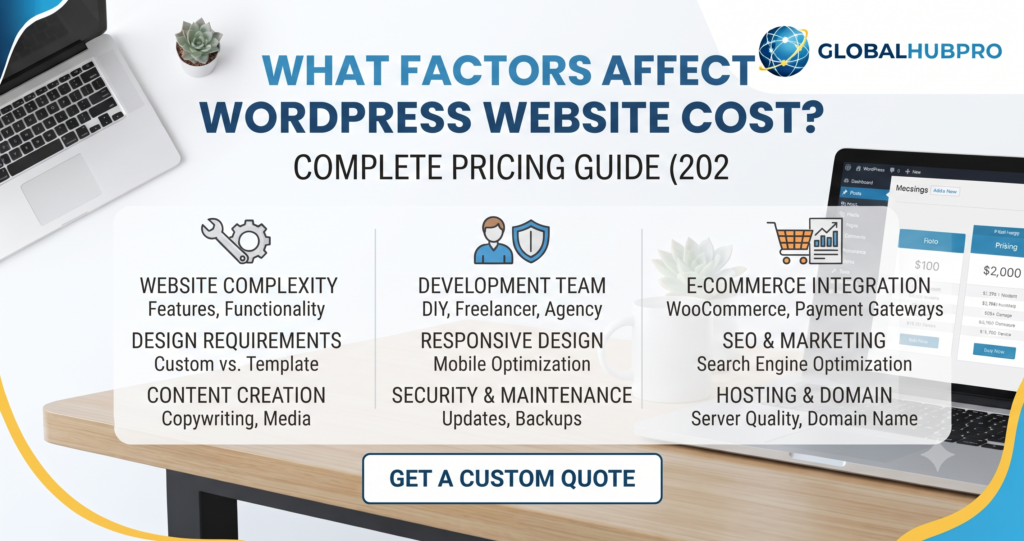
What Factors Affect WordPress Website Cost?
Two websites can use WordPress and still have very different development costs. The main difference is the amount of work required to design, build, test, and maintain each website.
Website Size and Number of Pages
A website with five straightforward pages usually requires less work than one with dozens of service pages, landing pages, resources, and blog categories.
However, the number of pages is only part of the picture. A single page with a complicated booking system may take more development time than several simple informational pages.
Planning the page structure before development begins can help control costs and reduce unnecessary revisions.
Website Design and Customization
WordPress offers a wide selection of free and premium themes. A suitable theme can provide a strong starting point without requiring every page to be designed from scratch.
Custom layouts, distinctive branding, advanced animations, and carefully tailored user experiences require additional work.
For many businesses, a clean, consistent design is more useful than a complicated layout filled with decorative effects.
Custom Features and Functionality
Features such as appointment booking, membership access, customer dashboards, calculators, multilingual content, and third-party integrations can increase development costs.
Some features can be added through established plugins. Others require custom code or specialist development.
Before approving a feature, consider whether it solves a genuine business problem. This helps you avoid spending money on functionality that adds complexity without providing much value.
E-commerce and Payment Integration
An online store may require product configuration, payment gateways, shipping options, tax settings, customer notifications, and order-management tools.
The complexity of the checkout process and the number of products can influence both development time and future maintenance.
You should also confirm whether payment-provider fees and paid e-commerce extensions are included in the proposed budget.
Content Writing and Image Optimization
A website needs useful content as well as an attractive design. Service descriptions, product information, company details, and clear calls to action help visitors understand what you offer.
If you do not have content ready, you may need to budget for a writer or content specialist. Images may also need editing, resizing, and compression to help pages load efficiently.
Preparing your content and images before development begins can save time and reduce revisions.
SEO and Performance Requirements
A website should have a logical page structure, descriptive titles, useful headings, mobile-friendly layouts, and appropriate indexing settings.
More extensive work may include technical SEO checks, structured data, redirect planning, speed optimization, and analytics configuration.
Basic SEO setup provides a foundation, but it does not guarantee search rankings. Search visibility also depends on content quality, competition, website performance, links, and how well the site meets users’ needs.
Businesses looking to improve their organic visibility can explore GlobalHubPro’s SEO Services as part of a broader digital marketing strategy.
Developer Experience and Location
Freelancers, small agencies, and larger development companies may charge different rates for similar projects. Their experience, communication, testing processes, and support arrangements can also vary.
Location influences pricing, but it should not be the only factor in your decision. Compare the deliverables, relevant experience, and quality of support rather than automatically choosing the cheapest quote.
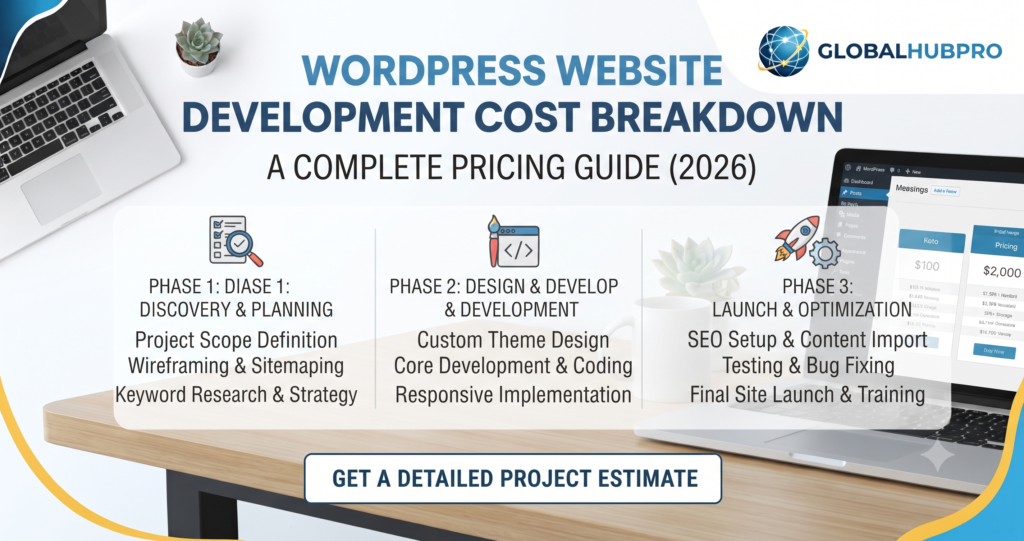
WordPress Website Development Cost Breakdown
The easiest way to plan your budget is to separate the initial development cost from the recurring expenses that continue after launch.
Domain Name Cost
Your domain name is the address people use to visit your website. The price depends on the extension, registrar, and whether the name is available at a standard or premium price.
Check the renewal rate before registering a domain. An attractive first-year offer may be followed by a higher regular renewal price.
Web Hosting Cost
Web hosting stores your website’s files and makes them available online. A basic shared hosting plan may be sufficient for a small blog or business website.
As traffic grows or the website becomes more demanding, you may need a plan with additional resources, better performance, or more advanced support.
When comparing hosting providers, look beyond the introductory price. Check renewal costs, storage, backups, security features, technical support, and the resources included in the plan.
Theme and Design Cost
A free WordPress theme can be enough to create a professional-looking website. Premium themes may offer additional layouts, design controls, and support, but buying one does not automatically improve the finished website.
You may also need to pay for theme customization, branding, page layouts, or a more distinctive visual design.
Choose a theme that fits your actual requirements rather than paying for dozens of features you do not need.
Plugin and Software Cost
WordPress plugins add functionality such as contact forms, SEO tools, backups, security, memberships, and e-commerce.
Many plugins offer free versions. Paid versions may provide advanced features, integrations, updates, or technical support.
Check whether a licence requires annual renewal and whether you genuinely need the paid features. Avoid installing several plugins that perform the same task.
WordPress Development Cost
Development is often one of the largest initial expenses when you hire a professional. It may include WordPress installation, theme setup, page creation, responsive design, plugin configuration, custom functionality, and testing.
Make sure the proposal explains exactly what is included. It should also identify extra charges, revision limits, delivery milestones, and any responsibilities that remain with you.
Website Content Cost
Content may be supplied by you, written by a professional, or provided as part of a development package.
The cost depends on the number of pages, the research required, the complexity of the subject, and the amount of editing involved.
Good content should explain your services clearly and answer the questions your customers are likely to ask. If you need help preparing website copy, explore GlobalHubPro’s Content Writing services.
Testing and Launch Cost
Before launch, your website should be tested on mobile phones, tablets, and desktop screens. Forms, navigation, links, images, and any checkout or booking features should work correctly.
Basic security settings, backups, indexing settings, and important SEO elements should also be checked.
Some developers include testing and launch support in the project fee, while others charge separately. Confirm this in advance so the final bill does not come as a surprise.
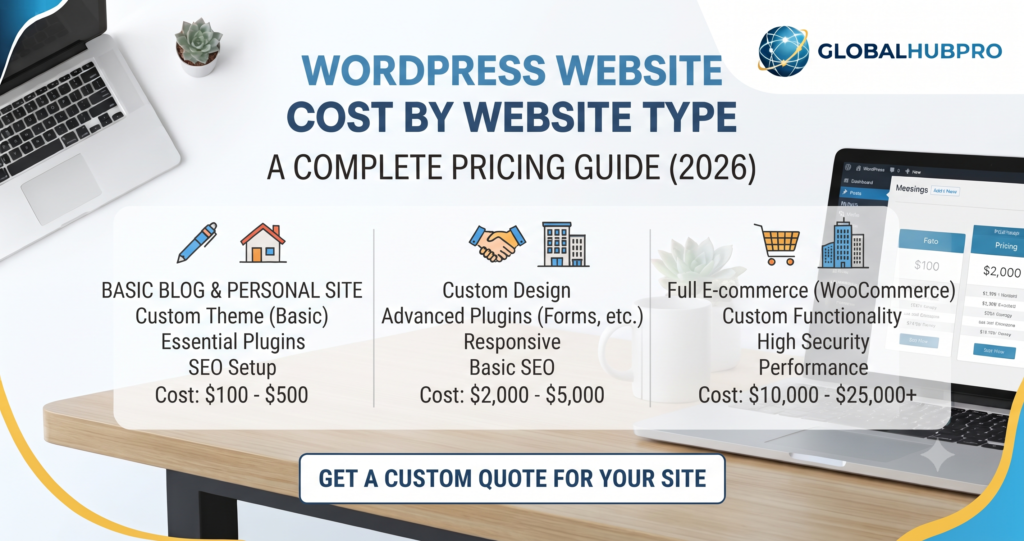
WordPress Website Cost by Website Type
The right budget depends on the purpose of your website. Here is what to consider for some common website types.
Personal Blog
A personal blog may need a homepage, blog archive, category pages, an About page, and a contact form. If you are comfortable setting up WordPress yourself, a free theme and basic tools can keep initial expenses low.
Your main ongoing investments may include hosting, domain renewal, content creation, and occasional maintenance.
Small Business Website
A small business website usually needs service pages, company information, contact details, and clear ways for visitors to make enquiries.
Depending on the business, it may also benefit from testimonials, frequently asked questions, a blog, and basic analytics.
The goal is to help potential customers understand what you do and why they should contact you.
Corporate Website
A corporate website may include multiple service sections, detailed company information, case studies, team profiles, lead-generation forms, and integrations with business systems.
It may also require a more detailed approval process and stronger content management arrangements. These requirements can increase both the initial cost and the time needed to complete the project.
Portfolio Website
A portfolio website showcases your work, skills, projects, or case studies. It may be suitable for designers, photographers, developers, consultants, and creative professionals.
The cost depends on the number of projects, the presentation style, and whether you need galleries, filters, downloadable files, or enquiry forms.
Educational Website
An educational website may provide course details, admission information, learning resources, student enquiries, or downloadable materials.
If you want online lessons, student accounts, quizzes, certificates, or progress tracking, you may need a learning management system and additional configuration.
These features should be planned carefully because they affect both development and ongoing support.
Online Store
An online store needs product listings, a shopping cart, checkout, payment options, and order management. Depending on the business, you may also need stock synchronization, shipping integrations, subscriptions, or product variations.
A small catalogue with straightforward delivery requirements is usually easier to manage than a large store with complex operations.
Remember to budget for payment processing, software renewals, security, backups, and ongoing product updates.
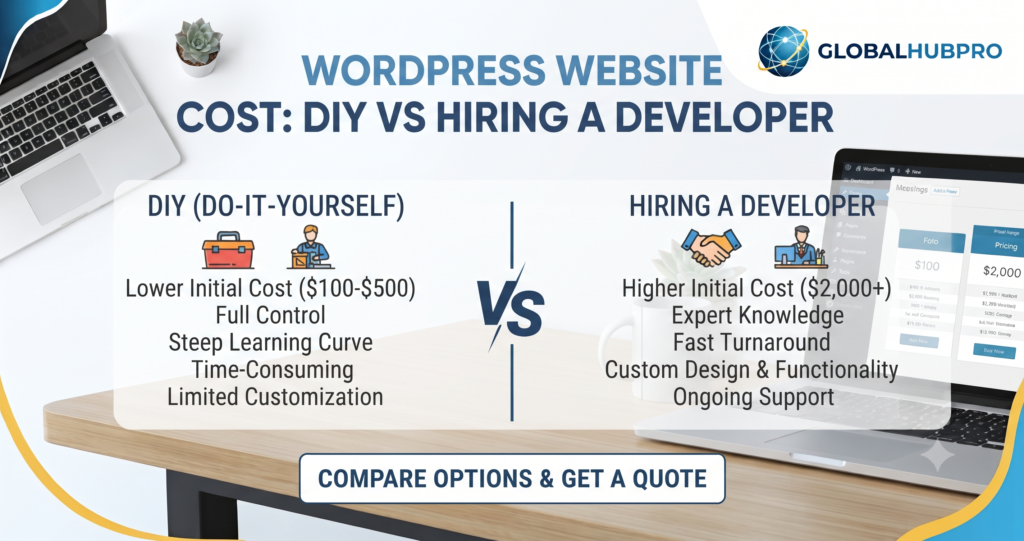
WordPress Website Cost: DIY vs Hiring a Developer
There is no single best way to build a WordPress website. The right choice depends on your budget, technical skills, available time, and the role the website will play in your business.
Building a WordPress Website Yourself
Building your own website can reduce labour costs and give you direct control over updates. You will still need to consider domain registration, hosting, optional premium tools, and the time required to learn the platform.
This approach can work well for a personal blog or a simple business website. However, design, content, security, backups, and troubleshooting can take longer than expected.
Your time has value, too. If managing the website takes you away from more important business tasks, professional help may be worth considering.
Hiring a Freelance WordPress Developer
A freelancer can be a practical option for a small or medium-sized project. You may benefit from direct communication, flexible arrangements, and a focused working relationship.
Before hiring someone, review their previous projects and agree on the scope, price, deadlines, and payment milestones.
Make sure you retain access to your domain, hosting account, website files, and WordPress administrator account.
Hiring a WordPress Development Agency
An agency may provide design, development, content, testing, and project management under one roof. This can be helpful when the website involves several specialists or more complicated requirements.
Agency pricing varies, and a larger team is not automatically the best choice for every project.
Look at the agency’s relevant experience, proposed process, services included, and support available after launch.
Which Option Is Best for Your Business?
Building the website yourself may be suitable if you have a limited budget, a straightforward project, and enough time to learn.
A freelancer can be a good fit when you need a professional website with a clearly defined scope. An agency may be more appropriate when the project requires multiple services, specialist expertise, or a coordinated development process.
Choose the option that gives you the right balance of cost, quality, control, and long-term support.
WordPress Website Maintenance Costs
A website is not a one-time purchase. After launch, it needs occasional attention to remain secure, reliable, and useful.
WordPress Updates and Security
WordPress, themes, and plugins receive updates that may fix bugs, improve compatibility, or address security issues.
Updates should be handled carefully, especially on websites that rely on multiple plugins or custom features. Backing up the website before major changes can make recovery easier if something goes wrong.
Backups and Website Monitoring
Backups give you a way to restore your website after an error, failed update, or other problem. A sensible backup plan should explain how often backups are created, where they are stored, and how restoration works.
Monitoring can also help identify downtime, broken forms, and other problems before they affect too many visitors.
Website Speed Optimization
As a website grows, large images, scripts, plugins, and hosting limitations can affect loading speed.
Periodic performance checks help identify areas that need attention. Improvements may include image optimization, caching, reducing unnecessary scripts, or reviewing the hosting setup.
Content Updates and Technical Support
Your website may need updated service descriptions, prices, contact details, images, blog posts, or new pages as your business changes.
You may also need help resolving plugin conflicts, fixing errors, or adding functionality. The cost depends on how frequently you need assistance and how complicated the work is.
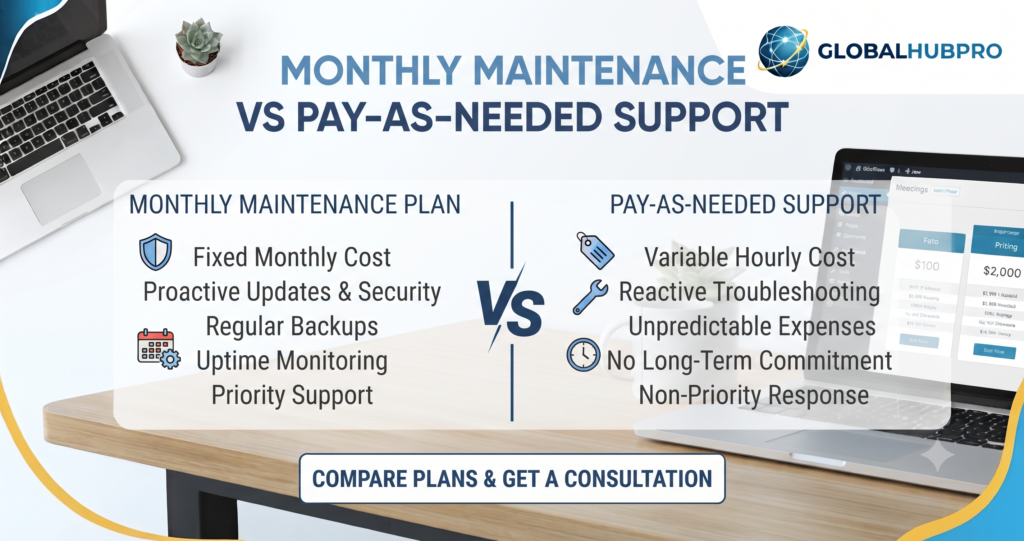
Monthly Maintenance vs Pay-As-Needed Support
A monthly maintenance plan can make expenses more predictable. Depending on the provider, it may include updates, backups, monitoring, and a defined amount of technical support.
Pay-as-needed support may work for a simple website that changes infrequently, although urgent repairs can be harder to budget for.
Before choosing a plan, check exactly what is included, how quickly the provider responds, and whether additional work is charged separately.
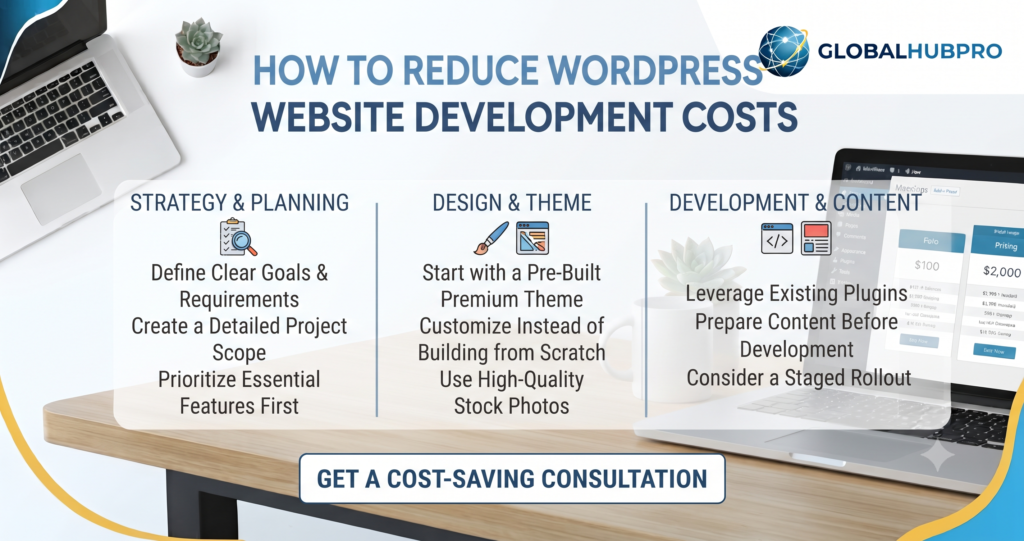
How to Reduce WordPress Website Development Costs
Keeping your budget under control does not mean cutting corners on every part of your website. It means focusing your money on the work that matters most.
Start With Essential Pages
Begin with the pages your visitors need, such as Home, About, Services, and Contact. Add product pages, booking features, or other sections when they are genuinely required.
You can expand the website over time rather than paying for a large structure before you know what works for your business.
Choose a Suitable Lightweight Theme
A well-built theme can reduce design and development time. Look for one that supports your required layouts and works well on mobile devices.
Avoid choosing a theme only because it contains lots of animations and visual effects. A simpler design can be easier to manage and maintain.
Avoid Unnecessary Plugins
Every plugin should serve a clear purpose. Installing too many overlapping or poorly maintained plugins can make a website harder to manage and may cause compatibility or performance problems.
Choose reputable tools, keep them updated, and remove plugins you no longer use.
Prepare Website Content in Advance
Prepare your logo, business details, service descriptions, images, and contact information before development begins.
When the developer has the necessary material from the start, the project is less likely to be delayed by missing content or repeated revisions.
Define Your Requirements Before Development
Write down the pages, features, integrations, and outcomes you expect from the website. Separate essential features from optional improvements.
Ask the developer to confirm the scope in writing, including the price, delivery schedule, revisions, and any extra charges.
A clear brief makes it easier to compare quotes and reduces the chance of misunderstandings.
Plan for Long-Term Maintenance
A low initial price may not include updates, backups, paid licences, or technical support.
Consider these ongoing expenses before choosing a provider. A website that is affordable to launch but difficult to maintain may cost more in the long run.
Is WordPress Worth the Investment?
For many businesses, WordPress is worth considering because it offers flexibility, a large ecosystem of themes and plugins, and the ability to expand a website over time. Whether it is the right option depends on your requirements and how you plan to use the website.
Benefits for Small Businesses
A well-planned WordPress website can explain your services, showcase your work, answer customer questions, and encourage enquiries.
You can publish blog posts, update important information, and add pages without rebuilding the entire site. This makes WordPress a practical option for businesses that want to maintain their online presence over time.
Flexibility and Scalability
You can start with a simple website and add features as your needs change. These might include a blog, appointment booking, an online store, membership functionality, or additional service pages.
Some improvements can be made with plugins, while more advanced features may require paid tools or specialist development.
SEO and Organic Traffic Opportunities
WordPress can support a well-structured, search-friendly website, but installing WordPress alone will not make your pages rank.
Search performance depends on several factors, including useful content, technical health, page experience, competition, and the relevance of your website to the searcher’s needs.
Clear navigation, helpful page titles, descriptive headings, relevant internal links, and mobile usability provide a sound foundation. Consistent content improvement and a sensible SEO strategy can help you build on that foundation.
Long-Term Value vs Initial Cost
The cheapest website is not always the most economical choice over time. A slow website, a confusing layout, or a site that is difficult to update can create extra work and discourage potential customers.
Instead of looking only at the initial price, consider the overall value. Will the website represent your business professionally? Can you update it easily? Will it support your marketing and customer enquiries? Can it grow with your business?
Those questions are more useful than choosing a developer based on price alone.
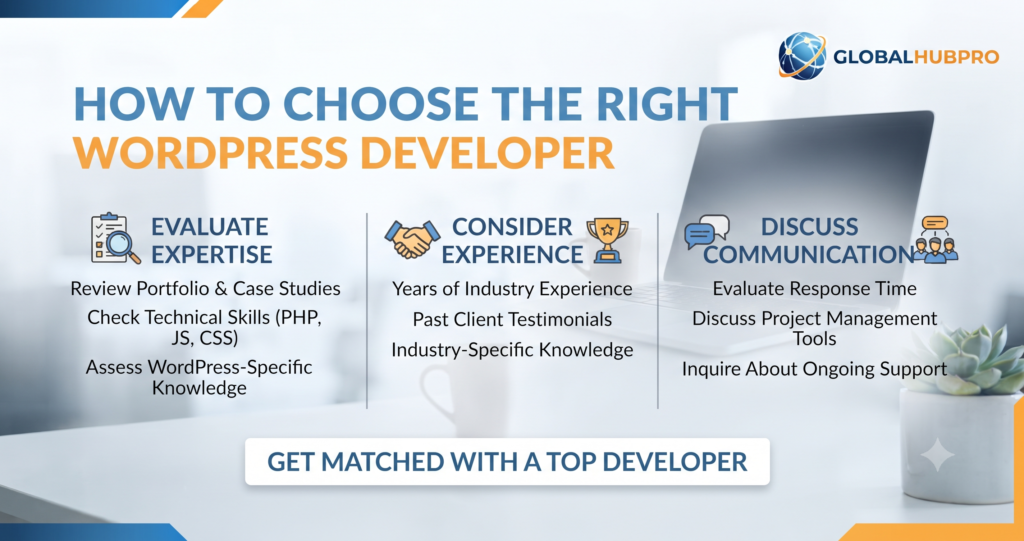
How to Choose the Right WordPress Developer
The right developer should understand your requirements, communicate clearly, and explain what you will receive for your money.
Review Previous Projects
Ask to see websites the developer has already built. Visit those websites on your phone and computer, check whether the navigation is clear, and see whether the pages work as expected.
Examples of projects similar to yours are especially useful because they give you a better idea of the developer’s relevant experience.
Compare Project Scope and Pricing
Ask for a written proposal that lists the pages, features, content responsibilities, revisions, delivery milestones, and services excluded from the price.
A lower quote may cover fewer tasks, so compare proposals carefully rather than assuming they offer the same value.
Check Mobile Responsiveness and Performance
Your website should be usable on mobile phones, tablets, and desktop screens. Ask how the developer tests layouts, forms, navigation, and page performance.
Be cautious of promises of perfect speed scores or guaranteed rankings. Results depend on several factors, including the hosting environment, third-party tools, and the website’s functionality.
Ask About SEO and Security
Confirm whether the project includes basic SEO setup, page titles, headings, indexing checks, and an XML sitemap where appropriate.
Discuss backups, software updates, user permissions, and security practices as well. Basic SEO setup can provide a foundation, but it should not be presented as a guarantee of first-page rankings.
Confirm Maintenance and Support
Find out what happens after the website goes live. Ask whether bug fixes are included for a specified period, how additional changes are billed, and how you can get help if a problem occurs.
You should also retain ownership and access to your domain, hosting, and website accounts. Clear arrangements from the beginning can prevent problems later.
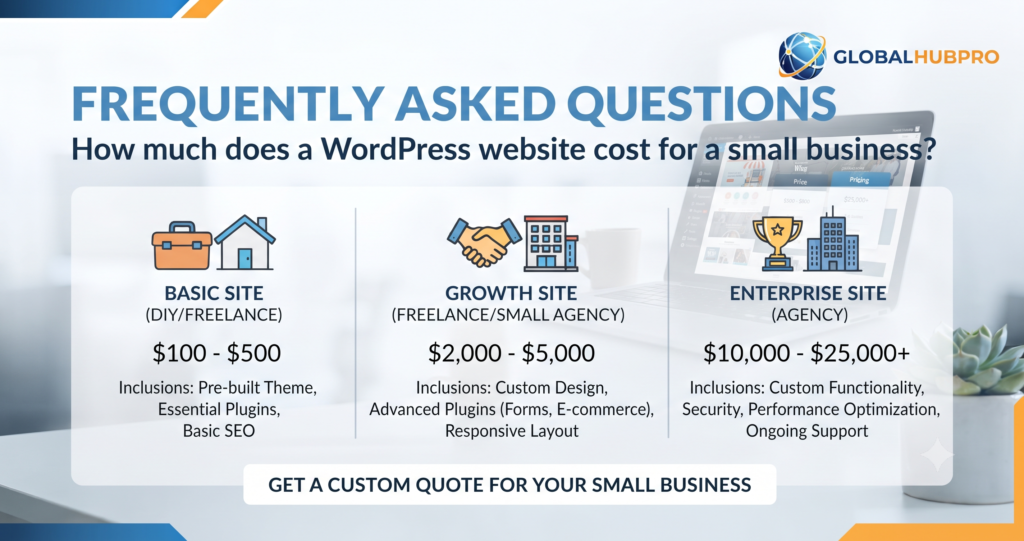
Frequently Asked Questions
How much does a WordPress website cost for a small business?
A small business website may cost a few hundred dollars for a simple build or several thousand dollars for a professionally designed project. The price depends on the provider’s location, number of pages, design requirements, content, and functionality. Request a quote based on your specific needs.
Can I build a WordPress website for free?
You can use the free WordPress software along with many free themes and plugins. However, a self-hosted website generally requires a domain and hosting. You may also choose to pay for premium tools, custom design, content writing, or professional support.
Is WordPress cheaper than custom website development?
WordPress can be more affordable for many blogs, business websites, and online stores because developers can use existing themes and plugins. A complex WordPress project can still be expensive, while a simple custom-built website may suit a particular requirement. Compare functionality, ownership, maintenance, and long-term costs before deciding.
How much does WordPress hosting cost per month?
Hosting prices depend on the provider, plan, contract length, and renewal rate. Introductory offers may be considerably cheaper than the regular price. Compare renewal costs, storage, backups, support, and performance resources before purchasing a plan.
Do I need to pay for WordPress plugins?
No. Many WordPress plugins have free versions that are suitable for common tasks. Paid versions may offer advanced features, integrations, updates, or support. Choose a premium plugin only when the additional benefits justify the expense.
How much does WordPress website maintenance cost?
Maintenance costs depend on the website’s complexity and the level of support you need. A basic plan may cover updates and backups, while a more comprehensive service may include monitoring, performance improvements, content changes, and technical assistance. Always check the services included in the plan.
Is WordPress worth it for a small business?
WordPress can be a good choice for a small business that wants a flexible website it can update and expand over time. The results depend on how well the website is planned, built, maintained, and used to serve customers.
Conclusion
So, how much does a WordPress website cost? The answer depends on the website you want to build, the features you need, and the provider you choose. A simple blog or small business website may require a modest budget, while an online store or custom project will usually involve a larger investment.
Before you begin, decide what your website needs to accomplish, list the essential pages and features, and compare written proposals from suitable developers. Remember to account for hosting, domain renewals, premium tools, content, and maintenance—not just the initial development fee.
Most importantly, choose a website that works for your business rather than paying for features you do not need. A clear design, useful content, reliable performance, and a good user experience provide a stronger foundation for long-term growth.
If you are ready to build a new website or improve an existing one, explore GlobalHubPro’s Web Development services. If your wider goals include increasing search visibility, publishing useful content, or building your brand through relevant websites, you can also explore our SEO Services, Content Writing, and Guest Posting services.
Have questions about your project or budget? Contact GlobalHubPro to discuss your requirements and identify a suitable next step.